


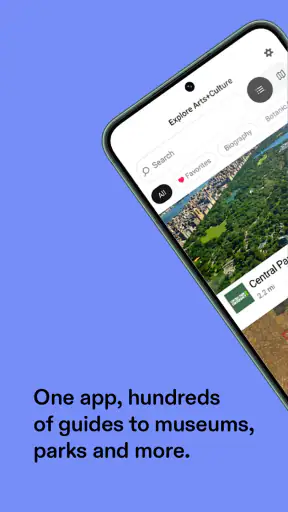
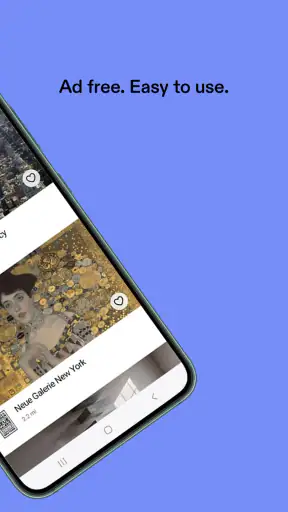
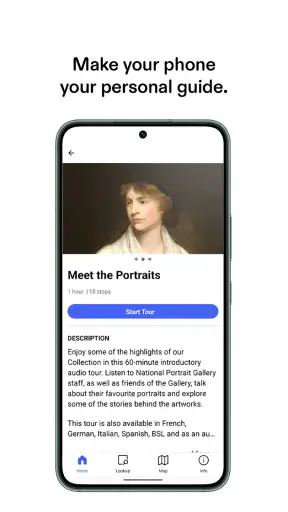
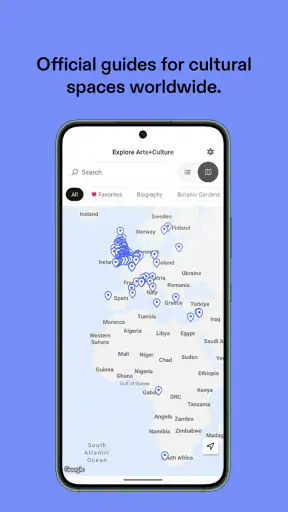
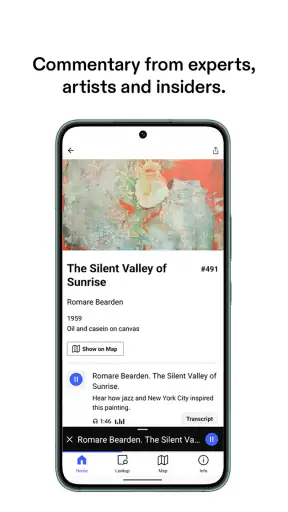
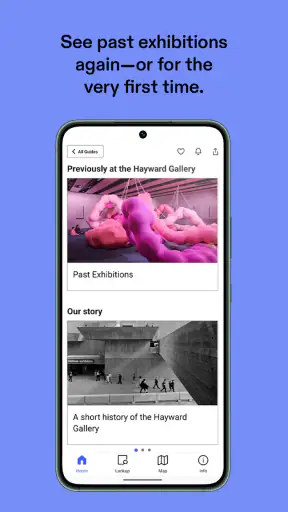
I came away from Connects: Arts+Culture with the feeling that it is less like a conventional learning app and more like a pocket-sized doorway into museums, galleries, and cultural spaces. That distinction matters. It is not trying to replace a structured course, a textbook, or a specialist research database. Instead, it helps me approach art and culture with more context when I am visiting somewhere, planning a cultural day out, or simply looking for something more thoughtful than another quick scroll through social media.
That makes Bloomberg Connects’ app an interesting choice in the education category. It is free, rated for Everyone, and available for Android users running version 8.0 or later. The current release is 2026.8.17, and the app has grown to over a million installs with an average score of 4.3 from around two thousand ratings. Those figures suggest that it has reached well beyond a small group of museum regulars, but my recommendation is based more on how naturally it fits into a real cultural visit than on its popularity.
What makes the app useful beyond a basic museum guide
The best way to understand the app is to imagine opening it before a visit rather than only at the entrance. I can use it to get a sense of what a cultural venue offers, decide which places deserve my time, and arrive with a few questions in mind. That preparation changes the experience. Instead of wandering through rooms without any frame of reference, I have a reason to pause and look more carefully.
Its strongest quality is the way it connects learning with place. A general art encyclopedia can explain an artist, movement, or historical period, but it does not necessarily help me understand why a particular venue is worth visiting today. A standard map can show where a museum is, yet it cannot give the visit much intellectual shape. Connects: Arts+Culture sits between those two alternatives: it is practical enough for planning and educational enough to encourage curiosity.
I also like that the app can serve different levels of knowledge without demanding that I identify myself as an art expert. Someone who already knows a lot can use it to discover unfamiliar institutions or develop a more focused route. A beginner can use it to reduce the intimidation that sometimes comes with entering a gallery. The tone of a cultural visit becomes more approachable when I can explore background information at my own pace instead of feeling that I should already understand everything.
A useful workflow is to browse when I have time, save the places that genuinely interest me in my own notes, and then return to the app on the day of the visit. I would not treat it as a checklist where I must consume every piece of information. The better approach is selective: choose a small number of themes, artists, or spaces, then let the visit remain open-ended. That balance prevents the app from turning an enjoyable outing into homework.
How I would use it on an ordinary weekend
Suppose I have an afternoon free in a city I do not know well. My first step would be to explore the cultural options rather than searching separately for museums, galleries, and institutions through several unrelated apps. I could compare the atmosphere and subject matter of different destinations, choose one that matches my mood, and use the available material to decide whether it suits a short stop or a longer visit.
Before leaving, I would read just enough to establish a purpose. Perhaps I want to focus on contemporary work, design, local history, or a particular exhibition. Once there, I would use the app as a companion rather than a replacement for looking at the objects themselves. If a work catches my attention, I can pause and investigate its surrounding context. If the information becomes too dense, I can put the phone away and return to the art.
This is one of the app’s less obvious strengths: it can improve attention when used sparingly. Many cultural visits become rushed because people try to see everything. A guide that helps me make a few deliberate choices can be more valuable than one that simply presents a large amount of content. I find the app most effective when it supports decisions before and during a visit, rather than demanding constant screen time.
Where it compares well with familiar alternatives
The usual alternative is a museum’s own website or official app. Those sources may be the better choice when I need highly specific practical information for one institution, especially if I am checking an immediate detail about a visit. Connects: Arts+Culture is more appealing when I want a broader cultural overview and do not want to install a separate tool for every venue.
Another alternative is a general search engine. Search is faster for a single factual question, but it often leaves me sorting through event pages, reviews, advertisements, and unrelated results. This app gives the exploration a more focused setting. I am not beginning with a blank search box; I am already inside a culture-oriented environment, which makes accidental discovery more likely.
Audio-tour apps are also different. They can be excellent when I want a linear spoken route through a collection, but they may encourage me to follow someone else’s sequence. Connects: Arts+Culture suits me better when I want to choose my own depth and direction. The trade-off is that I need to be more active: the app can open a path, but I still have to decide how to use it.
For formal study, a library database, academic publication, or dedicated course remains the stronger option. This is an educational app, but I would not use it as my only source for a research paper. Its value is in orientation, discovery, and visitor context. It helps me ask better questions; it is not a substitute for rigorous citation-based study.
The practical details that affect the experience
Being free is important here because cultural exploration can already involve transport, tickets, food, and time. I can try the app without adding another purchase decision to the day. That makes it especially suitable for casual users, families, students, and travelers who are unsure whether a dedicated cultural guide will become part of their routine.
The Everyone age rating also makes the app easier to recommend in mixed-age situations. I would still guide younger children toward the parts that match their attention span, because an educational resource can be appropriate for everyone while remaining more interesting to some ages than others. For a family visit, I would use it to select a few accessible talking points rather than expecting children to read through every available detail.
Compatibility with Android 8.0 or later gives it a reasonably broad reach among Android devices. That is useful for people who keep an older phone as a travel device or do not upgrade frequently. I would still install and explore it before leaving home, not at the museum entrance. That simple habit lets me check how comfortably it works on my own phone and avoids making the first interaction part of a crowded, time-sensitive visit.
Where the experience needs patience
My main reservation is that a broad arts-and-culture guide can feel less direct than a single-purpose museum tool. If I already know exactly which institution I am visiting and want a tightly organized route, the official source may feel more efficient. Connects: Arts+Culture asks me to explore, compare, and make choices. That is rewarding when I am curious, but it can feel like extra work when I only need one immediate answer.
There is also a natural tension between using a phone and experiencing art in person. The more I read, the greater the risk that I start looking at the screen instead of the gallery. I consider this a user-discipline issue rather than a reason to dismiss the app, but it is important. My preferred method is to prepare beforehand, consult the guide briefly when something raises a question, and then return my attention to the physical space.
People who want a complete, formal learning path may also find the experience too open-ended. A course normally gives me lessons, progression, exercises, and a clear sense of what to study next. This app is better for guided discovery than for mastering a syllabus. If my goal is an exam, professional training, or a deep chronological study of art history, I would pair it with a more structured resource rather than expect it to do that job alone.
Travelers should approach it with realistic expectations as well. A cultural guide can help me discover possibilities, but it does not remove the need to plan the practical side of a day out. I would still check the venue’s current visitor arrangements through its official channels when timing matters. The app is most valuable as a cultural layer over a visit, not as the only thing I rely on for every logistical decision.
Small habits that make it more effective
My first tip is to use a three-stage rhythm: explore before the visit, consult selectively during it, and reflect afterward. Beforehand, I look for a theme rather than trying to absorb everything. During the visit, I use the app only when it can answer a genuine question. Afterward, I return to the subjects that stayed in my mind. This turns a one-time guide into the beginning of a longer learning habit.
My second tip is to create a personal shortlist instead of treating every cultural option equally. A long catalogue can produce decision fatigue, particularly when I am unfamiliar with a city. I would narrow it to a few realistic choices based on location, available time, and the kind of experience I want. The app is more useful when it helps me choose well than when it encourages me to collect destinations I will never visit.
My third tip is to use it as a conversation starter. With friends or family, I might choose one question before entering: What should we look for? Why might this place have chosen this theme? Which work do we expect to remember? Even if the answers change once we arrive, the question gives the visit a shared focus. That is a more meaningful use than silently passing a phone around for facts.
A fourth, more personal insight is that the app works particularly well for repeat visitors. On a first visit, I may simply want orientation. On a later visit, I can use it to approach the same institution differently, perhaps by following a new theme or paying attention to parts I previously skipped. That makes it more valuable for local users than its travel-guide role might initially suggest.
Who should choose it, and who should look elsewhere
I would recommend it to curious travelers, occasional museum visitors, teachers looking for an accessible starting point, students who want cultural context, and anyone who enjoys planning a day around exhibitions or institutions. It is also a good fit for people who feel that museum visits are sometimes difficult to navigate. The app gives enough direction to make the experience less passive without forcing a rigid route.
I would be more cautious about recommending it to someone who wants a fully narrated tour, a formal course, or a single definitive reference work. Those users may prefer a dedicated audio guide, an institution-specific app, or a structured educational platform. I would also suggest skipping it if the only goal is to find one practical detail immediately and leave; a direct official source may be quicker in that situation.
The developer, Bloomberg Connects, has positioned the product around access to arts and culture rather than around a narrow academic discipline. That broad focus is both its identity and its limitation. It invites me to move between different kinds of cultural experiences, but it does not promise the depth or consistency of a specialist tool. I see that as a fair trade when discovery matters more than exhaustive coverage.
My verdict after using it as a cultural companion
Connects: Arts+Culture succeeds because it makes cultural exploration feel less like a task and more like an invitation. Its best contribution is not a single piece of information; it is the way it helps me decide where to go, what to notice, and how to approach a visit with a little more curiosity. The free price removes much of the risk, and the broad age rating makes it easy to share in a family or classroom setting.
It is not the perfect answer for every museum visit. I would choose another option when I need a tightly structured course, a specialist academic source, or highly focused practical instructions from one institution. I also need to resist spending the whole visit on my phone. Used with restraint, however, it adds context without taking over the experience.
My final recommendation is clear: install it if you want a flexible arts-and-culture companion that helps turn spare time, travel, or a familiar local venue into an opportunity to learn. Start by browsing before you go, choose one manageable focus, and let the app support your attention rather than compete with it. For me, that is where its real educational value appears.


